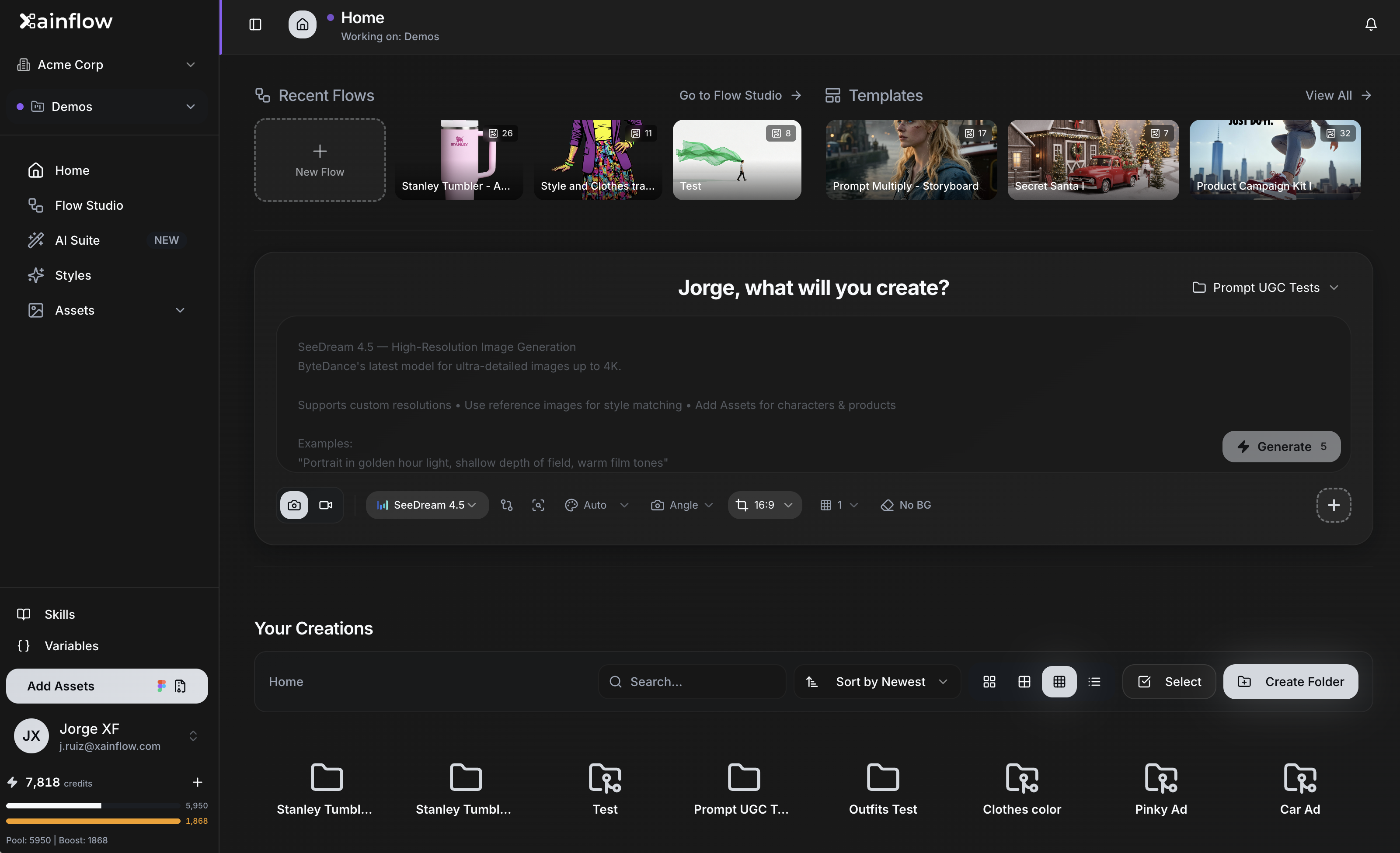
Welcome to XainFlow
Welcome to the official XainFlow documentation site. Here you'll find comprehensive guides, architecture diagrams, and resources to help you understand and work with XainFlow.
What is XainFlow?
XainFlow (Flow Studio Edition) is a professional AI-powered creative generation platform designed for creative teams, freelancers, and agencies. It bridges the gap between creative vision and technical execution by providing a visual, node-based environment for building complex AI automation pipelines.
XainFlow features an infinite canvas where users can drag and drop operations to create high-quality content without writing code. It's designed to help you scale your creative output, not your overhead.
Key Highlights
- AI Video & Image Generation – Professional-grade HD/FHD outputs
- Visual Workflow Builder – No-code node-based pipeline design
- Client Management – Secure multi-tenant workspaces for agencies
- Figma Integration – Sync designs directly into your AI pipeline
What is XainFlow Used For?
XainFlow is designed for a variety of creative and production use cases:
| Use Case | Description |
|---|---|
| Custom AI Workflows | Build tailored pipelines for image and video generation |
| Character Consistency | Maintain the same character across multiple outputs |
| Product Visualization | Create consistent branded content for products |
| Agency Client Management | Manage multiple clients with isolated workspaces |
| Rapid Iteration | Use the 50-state undo/redo system to experiment freely |
The Pipeline & Workflow
XainFlow uses a powerful node-based design system for creating AI workflows:
Core Pipeline Features
- Node-Based Design – Use nodes like Asset, Prompt Generator, Frame Selection, Image Gen, and Video Gen
- Parallel Execution – Execute one node, selected nodes, or all nodes simultaneously
- Infinite Canvas – No limits on the number of nodes or complexity
- Reusable Workflows – Import/export workflows for reuse across projects
- Execution History – Saves every execution and asset for easy access
Visual Workflow Diagram
flowchart LR
A["Asset Upload"] --> B["Prompt Generator"]
B --> C["Frame Selection"]
C --> D["Image Gen"]
D --> E["Video Gen"]
E --> F["Final Output"]
Key Features & Benefits
Visual Workflow Environment
Replace the traditional "generate → download → edit → upload" cycle with a single connected environment.
Higher Quality Outputs
Focus on professional-grade HD/FHD image and video generation for premium results.
Workspace Organization
Hierarchical folders and projects keep all your assets organized and accessible.
Figma Integration
Direct synchronization with Figma designs to pull frames into your AI pipeline seamlessly.
Enterprise-Grade Security
- Row-level security (RLS)
- Role-based access control
- Full activity logs
Pricing Plans
| Plan | Price | Credits | Storage | Key Features |
|---|---|---|---|---|
| Free | $0/mo | 50/month | — | 1 Personal Workspace, Basic AI models, AI image & video gen |
| Pro | $20/mo | 800/month | 10GB | Figma integration, Priority queue, Unlimited projects/nodes |
| Agency | $75/mo/seat (min 3) | 2,000 shared/seat | 50GB | Up to 5 team workspaces, Full activity logs |
| Agency Plus | $150/mo/seat (min 4) | 5,000 shared/seat | 150GB | Up to 15 team workspaces, Advanced analytics |
Target Audience
XainFlow is built for:
- Creative & Production Studios – Professional AI automation at scale
- Marketing Agencies – Managing multiple brand assets and client projects
- Enterprise & In-House Teams – Secure, scalable AI tools
- Freelance Creators – Speed up workflows and experiment with AI
Documentation Overview
Getting Started
New to XainFlow? Start here to learn the basics and get up and running quickly.
Architecture
Understand the system design through our detailed architecture diagrams:
- Pull Request Flow – Developer workflow from preview to main
- Production Deployment – Automated deployment to production
- Preview Deployment – Automated deployment to preview environments
- Domain Configuration – User access and domain routing
Contributing
Want to contribute to the documentation? Check out the Contributing Guide to learn how.